
by Youssef Elbeqqal · September 29, 2026
Airtable vs. ClickUp for Agencies: Which One Actually Fits
TL;DR
ClickUp is a task and project management tool with a task hierarchy and built-in views, starting at $7 per user a month. Airtable is a relational database that links records across tables (clients to projects to invoices) and starts at $20 per seat a month. Most agencies asking which one to pick end up running both, ClickUp for execution and Airtable for client data, because each is built for a different job.
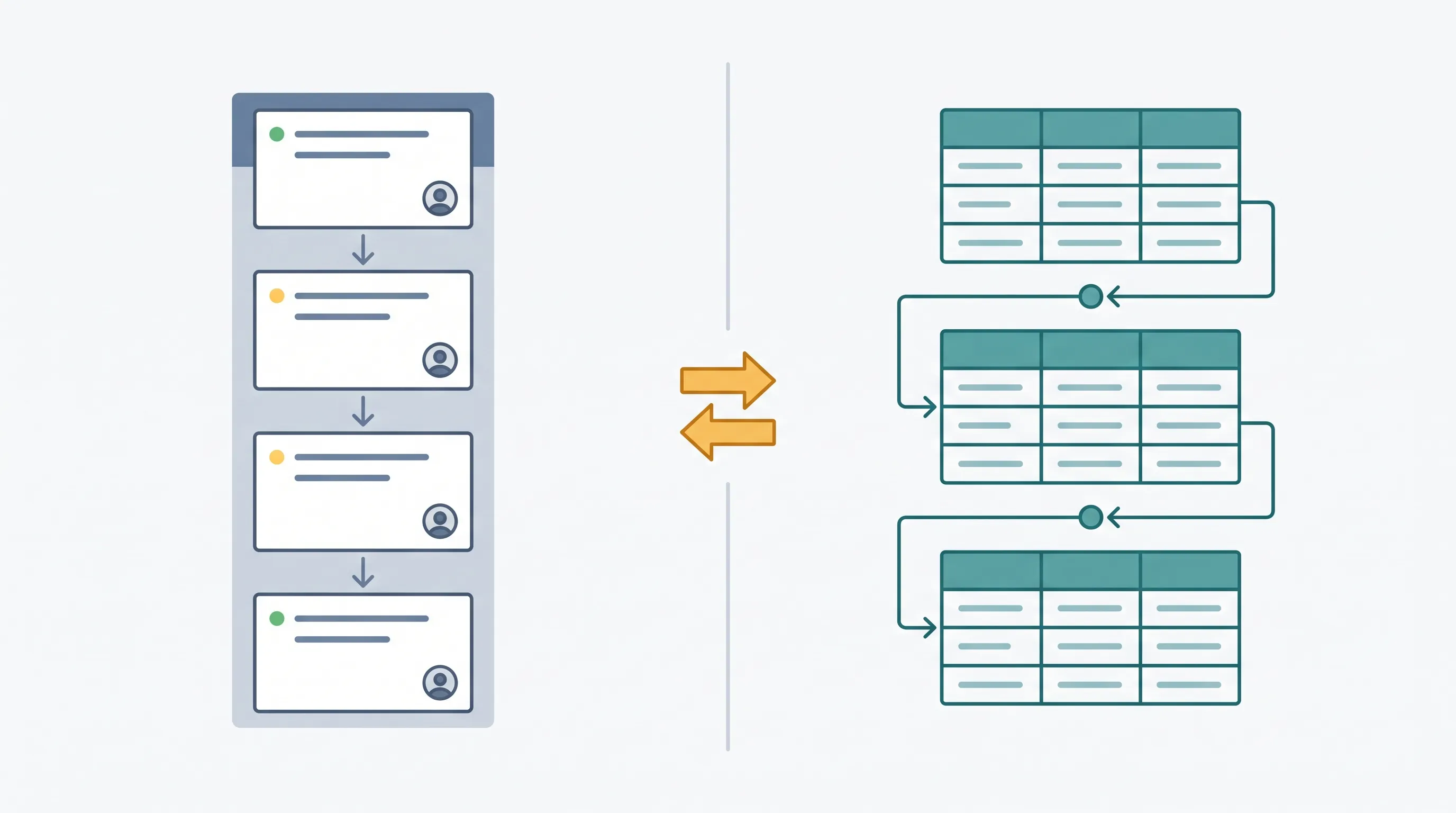
ClickUp and Airtable solve different problems, and the fastest way to see it is what each one is actually built around. ClickUp organizes work as tasks in a hierarchy: spaces, folders, lists, tasks, subtasks, with Kanban boards, Gantt charts, and time tracking built on top of that structure. Airtable organizes data as linked records across tables: a Clients table connects to a Projects table connects to an Invoices table, with lookup and rollup fields that pull data across those connections automatically, a client's total revenue or active project count calculated without anyone entering it by hand.
What each one is actually good at
ClickUp's task hierarchy makes day-to-day execution fast: assign a task, track its status, move it through a board, see it on a calendar or a Gantt chart, all without leaving the task itself. Airtable's relational structure does something ClickUp's custom fields can't: link records across tables so that changing one client's project automatically shows up wherever that client is referenced elsewhere, instead of living as a flat, disconnected entry.
Price and starting point
ClickUp's cheapest paid plan starts at $7 per user a month billed yearly. Airtable's starts at $20 per seat a month on the same billing terms. That gap tracks the difference above: ClickUp is priced as a team collaboration tool, Airtable as a database platform, and the price difference roughly matches what each one is actually solving.
Which one to pick for what
Use ClickUp for anything that's fundamentally a task: assigning work, tracking status, running a team's day-to-day. Use Airtable for anything that's fundamentally a record with relationships to other records: client profiles, campaign data, anything where "show me everything connected to this client" needs to be one query instead of a manual search across three tools.
Why most agencies end up with both
Searching this comparison usually means deciding which tool to standardize on, but most agencies running both ClickUp and Airtable aren't running redundant systems, they're running each tool at what it's built for. Trying to make ClickUp's custom fields act like a relational client database, or trying to run daily task execution inside Airtable's weaker project views, both end up as workarounds for the tool doing a job it wasn't built for. Picking a tool doesn't fix a broken process either: the real question isn't which one to standardize on, it's whether the two are actually kept in sync once both are running.
See how tool integrations connect ClickUp and Airtable instead of asking one of them to do the other's job.