
by Youssef Elbeqqal · September 13, 2026
The Airtable Base That Started as a Spreadsheet and Never Got Rebuilt
TL;DR
Airtable's actual value is its relational structure, linked records and rollups that connect a Clients table to Projects to Invoices automatically. A base built by importing a spreadsheet and never redesigned keeps the spreadsheet's habits instead: client names typed as free text in every table, statuses that don't match because nobody standardized them, nothing actually linked. That base is paying database-level pricing and complexity for spreadsheet-level function.
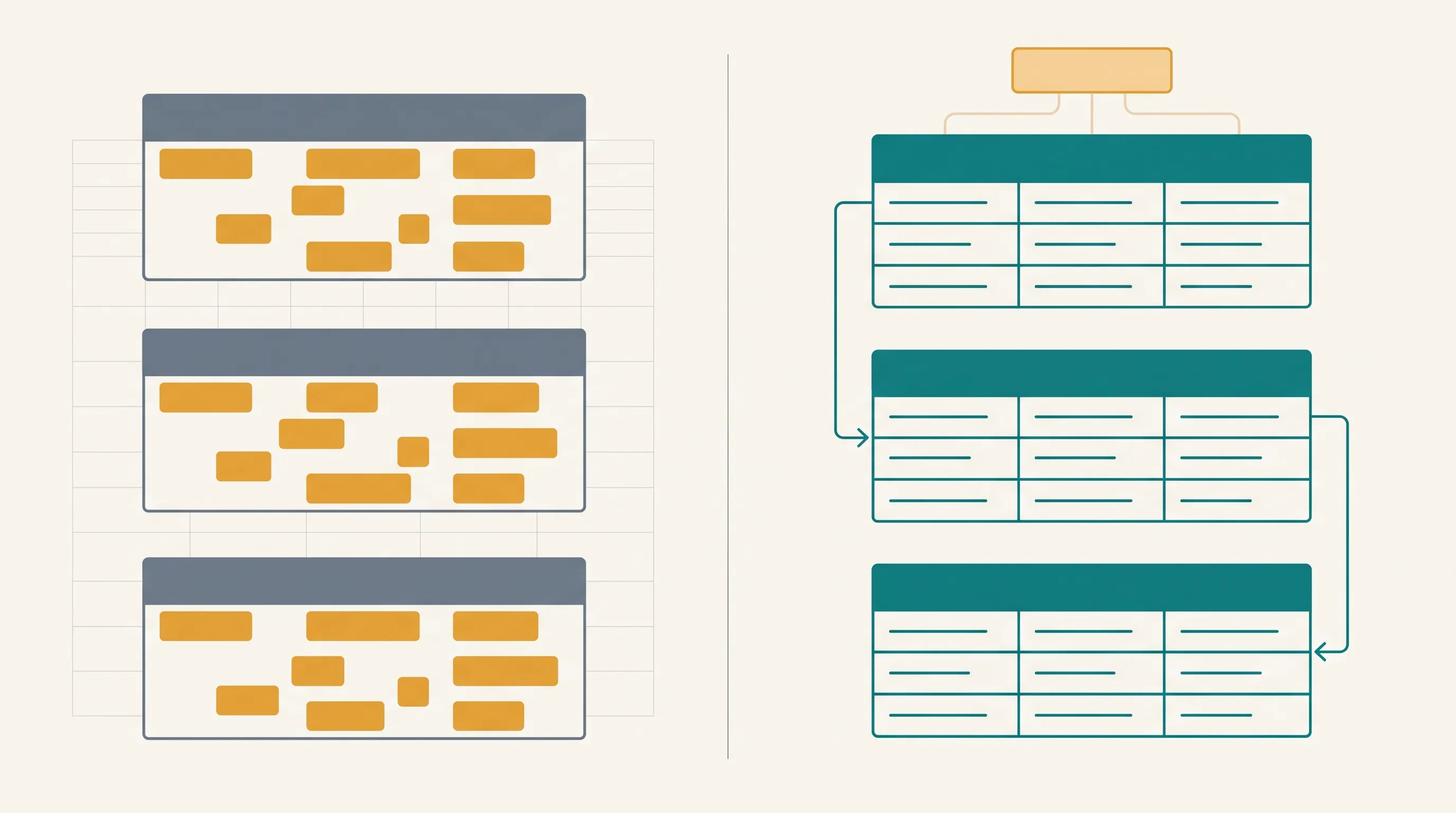
The fastest way to start an Airtable base is to import a spreadsheet, and that's also how most of them stay. The import brings over the columns, the rows, and every habit the spreadsheet had: a client's name typed fresh in every table it appears in, a status typed as whatever word felt right that day, nothing actually connected to anything else. It looks like Airtable. It runs like a spreadsheet with better formatting.
What that base is actually leaving on the table
Airtable's real advantage over a spreadsheet is linked records: a Clients table connected to a Projects table connected to an Invoices table, with rollup fields pulling a client's total revenue or active project count automatically from those connections. A base where "client" is a free-text field in five different tables can't do any of that. Two people spell the same client's name two different ways and Airtable has no way of knowing they mean the same client, because nothing marks them as the same record.
Why nobody goes back and fixes it
The base works well enough day to day, which is exactly why the redesign never happens. Rebuilding live data into linked tables feels riskier than leaving something that technically functions, so the base keeps accumulating spreadsheet habits, more free-text fields, more inconsistent statuses, further from the structure that would have made it worth using Airtable in the first place.
Why this quietly breaks the automations built on top of it
The sync points worth automating first assume the data underneath is structured enough to sync reliably. Syncing a free-text client name between ClickUp and a spreadsheet-shaped Airtable base is automated copy-pasting, not a real connection, and it's exactly as fragile: the same way a renamed field breaks a mapping, an unlinked, inconsistently typed field breaks matching the moment two people spell something differently.
What actually fixes it
The fix isn't switching tools, it's converting the fields that should be relationships into actual linked records: Client as a link to the Clients table, not a text box repeating the same name five times with five different spellings. That single change is what makes rollups, automations, and a reliable sync with ClickUp possible in the first place. See how workflow design rebuilds a base around what Airtable actually does well, instead of leaving it running as a spreadsheet that happens to live in Airtable.